While the exact origins of the first structure remain lost to history, the true story of the Hubler Cabin is a remarkable testament to early American ingenuity and evolving architectural technique.
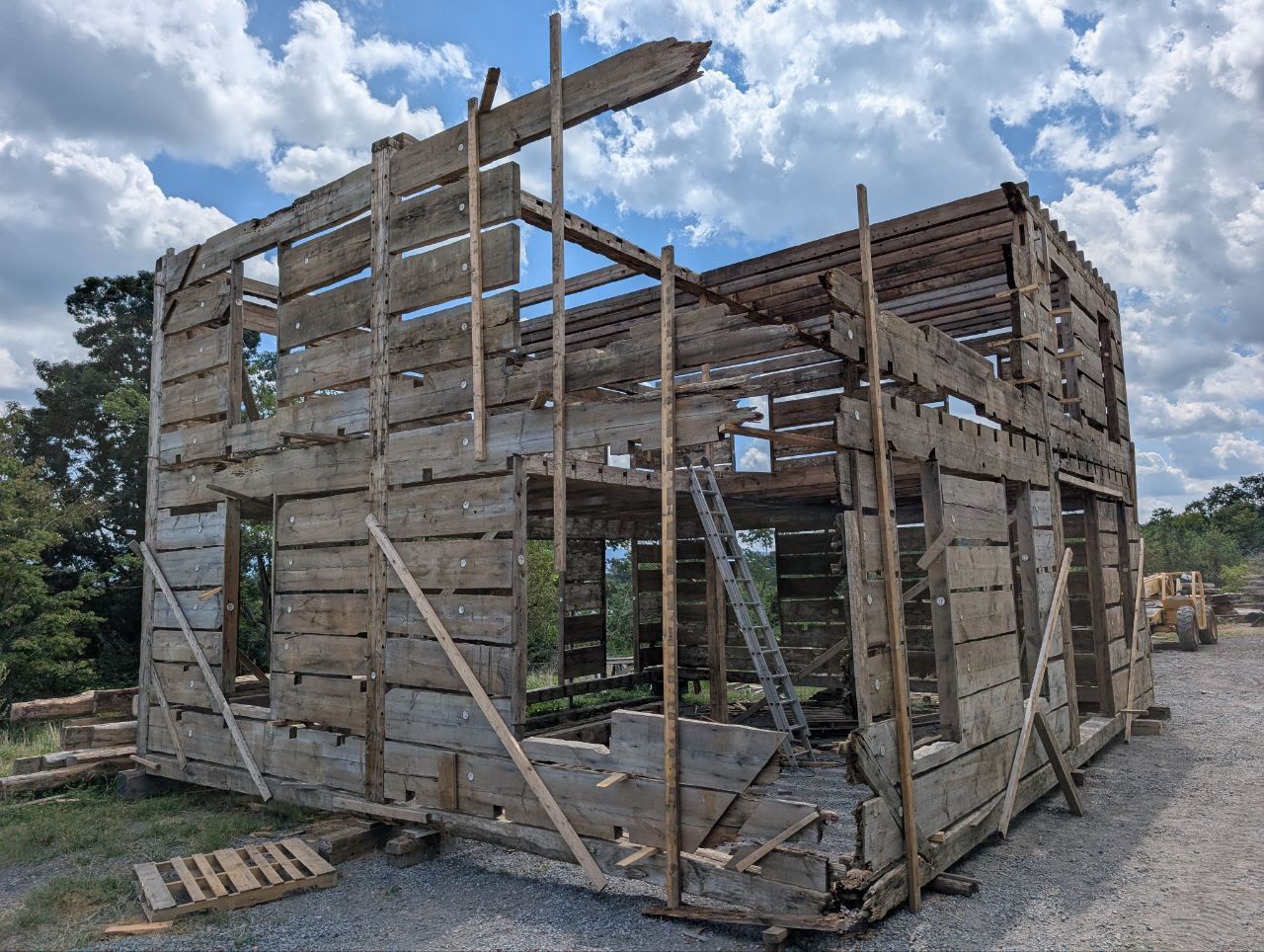
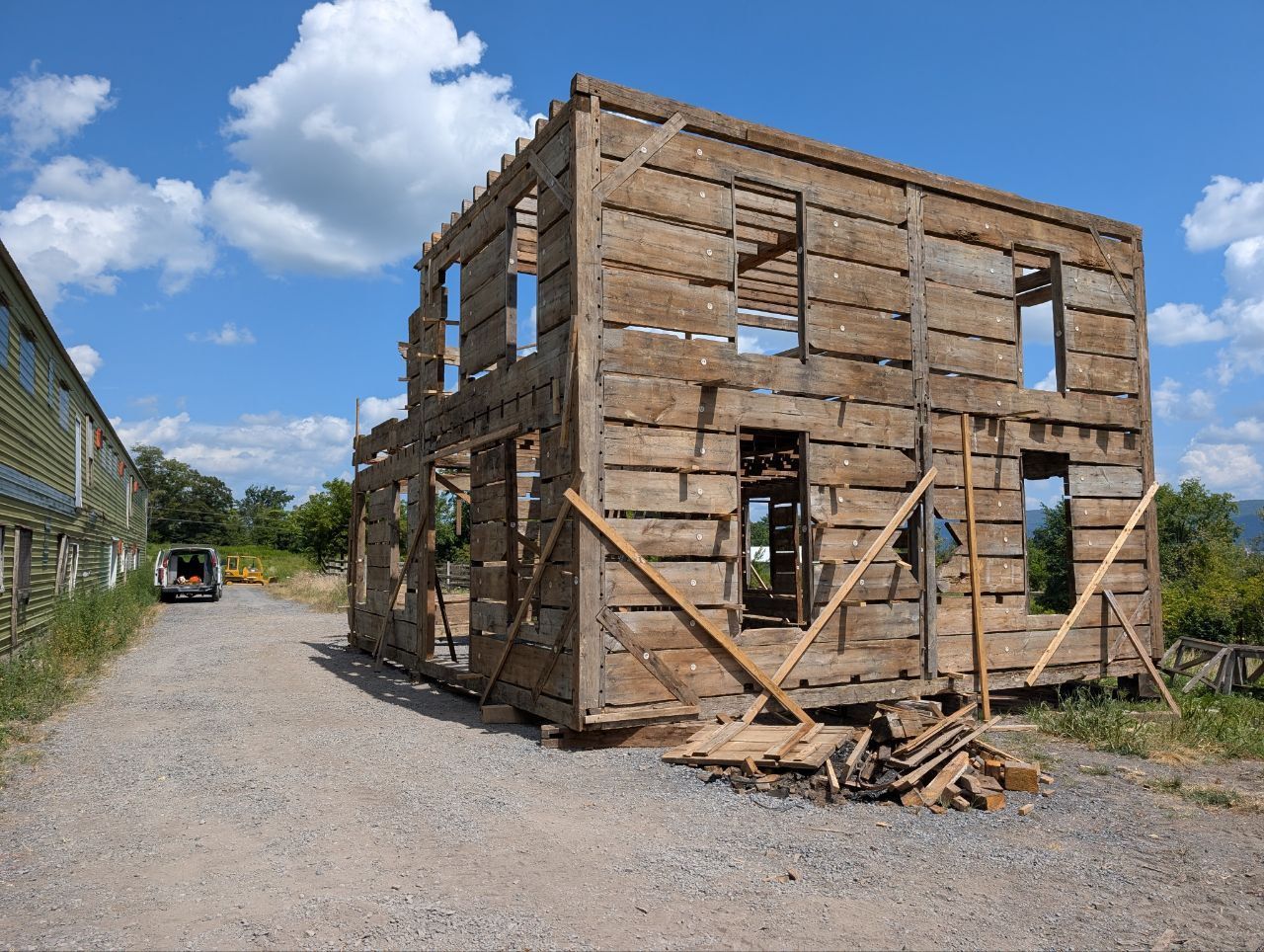
Generations ago, a local sawmill owner named Jacob Hubler acquired an original, massive hand-hewn log structure built with traditional saddle-notched corners. Seeing an opportunity, Hubler carefully dismantled the building and transported the timbers to his sash-saw mill. In a highly unusual and resource-intensive process, he ran the original hewn logs through the sash-saw, meticulously splitting them down the center to create remarkable 4-inch-thick timber planks.
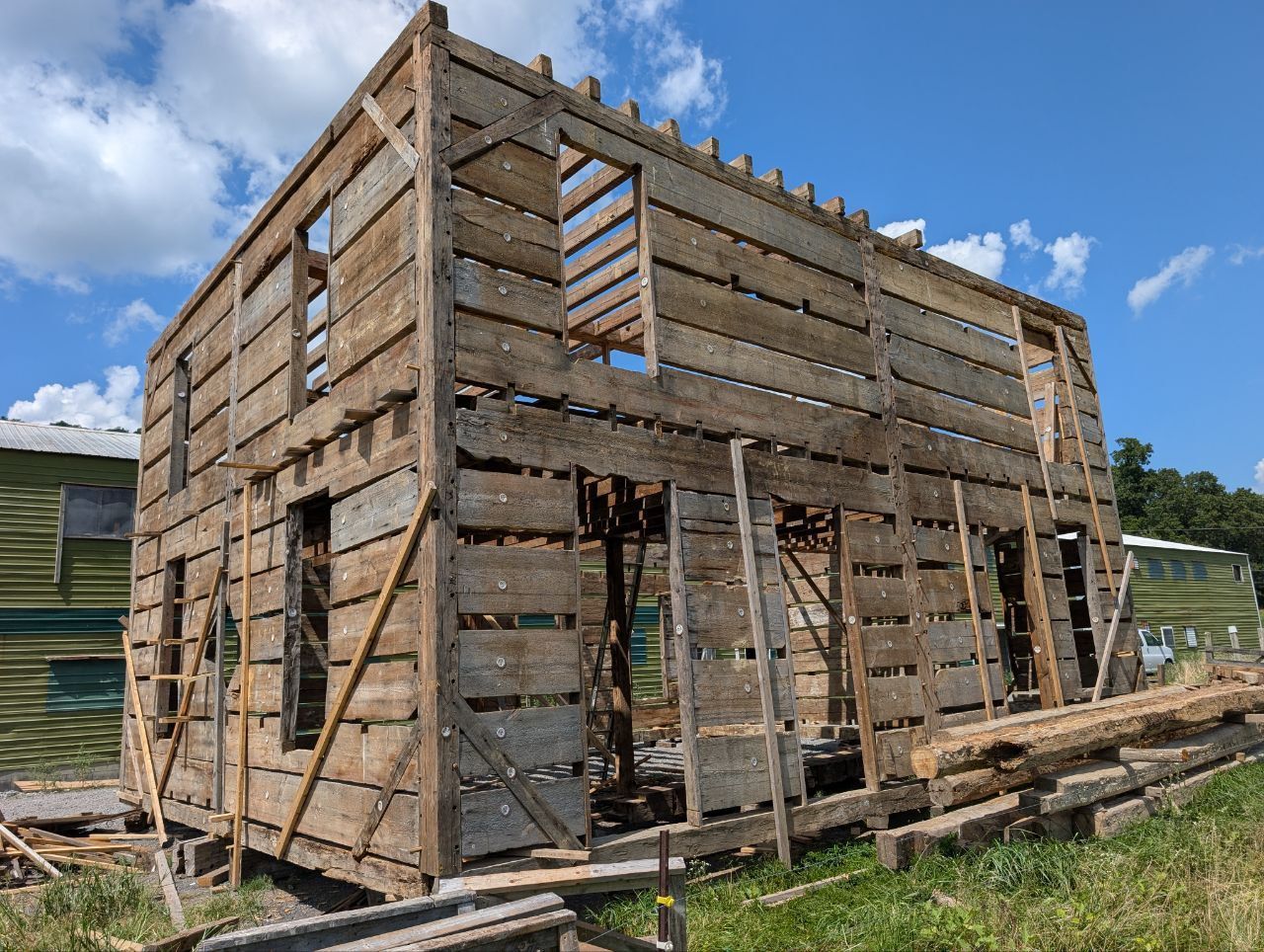
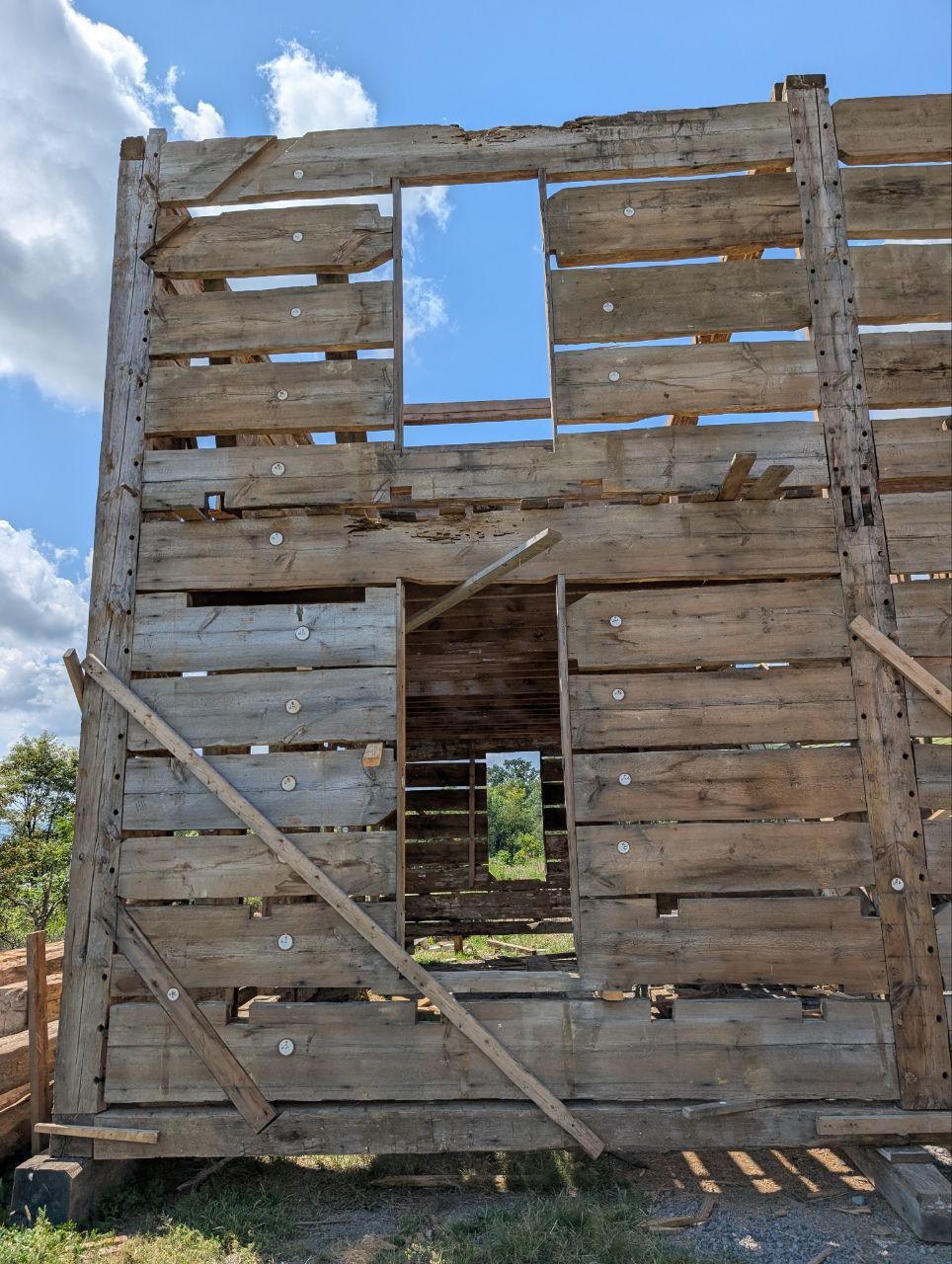
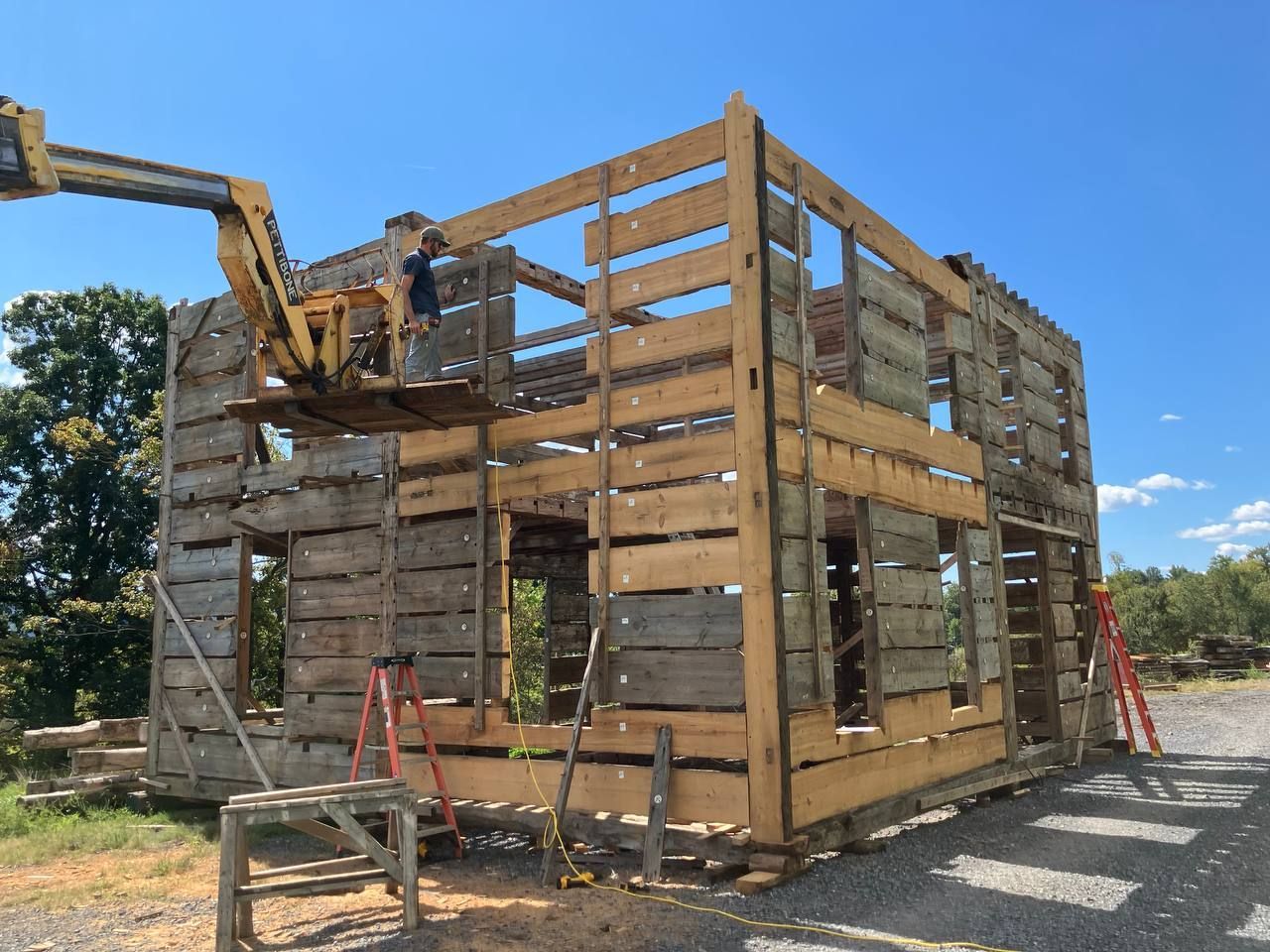
The transformation did not stop at the sawmill. When constructing the new structures, Hubler abandoned the original saddle-notch design in favor of a sophisticated, timber-framed mortise and tenon corner system. Using this refined joinery and his newly milled thick-cut timbers, he built two mirroring cabins from the bones of the original structure. Today, the cabin’s "twin sister" still stands in its original town.
Now carefully dismantled, repaired, documented, and partially staged as seen in the photos, this exceptional piece of history is available. The authentic sash-saw marks, the rugged patina, and the sheer scale of the 4-inch-thick walls and mortise-and-tenon corners make the Hubler Cabin an extraordinary foundation. For design and build teams requiring end-to-end execution, expert re-erection services are also available to ensure seamless integration into your project.